CD333 App - responsible gaming, a little cool-headed
In many apps there's no way to stop; on the CD333 App it's clear: self-exclusion, cooldown, and safe gaming rules are shown up front.
Many Dhaka users abide by their limits with bKash, Nagad and Rocket; after CD333 login you can choose a 24h, 7d, 30d or 90d break.
Download CD333 APK Get help
CD333 App at a glance
4.9 : Average rating
84,146 : Reviews
3.3M+ : Active users
99.8% : Uptime
CD333 has been running since 2015, and is now used in 10 countries, so the rules, limits, and support items are organized clearly.
Cool-off time: short break, clear head
Many people make big decisions and regret; cooldown reduces that pressure. The four time limits below are easy to understand.
24h break
If you want to stop fast, you can't log in for one day.
7-day break
If you want to stay away for a week, coming back with a clear head is easier and helps you reset smoothly.
30-day break
Medium break
If you need a long
3 steps to start a cooldown after CD333 Login
Elsewhere these settings are hidden; here, after CD333
I
Sign in
Log in
Log in to CD333, then open the Safety Menu; the rules appear in 2 clicks.
II
Choose self-exclusion or cooldown
Choose 24h, 7d, 30d or 90d; you can also enable self-exclusion.
III
Confirm and save
Once saved, the settings take effect; contact support if you want to change later.
Player safety: what changes, what does not.
When cooldown runs, the app behaves differently; the following items are clearly disabled, and that is true safety.
- Cannot start a new session
- Cannot re-enter with a quick tap
- Help messages and rules are visible
- Limit settings remain the same
Users in Dhaka and Chittagong usually make quick decisions during busy times, so pre-setting the break option is very helpful.
What safe play means in the CD333 App
Limits first, emotions
Set day, week, or month limits first; later, even if you get heated, those limits cannot be broken.
Fast control on mobile
APK is lightweight, so menus open quickly, and on many phones with older Android still easy.
Support team nearby
If there is any issue, get help; questions about bKash, Nagad or Rocket can also be asked.
See your habits
Understanding your play style makes taking breaks easy; keeping small notes helps.
Support and emergency contact
If you struggle to stop on your own, asking for help is the right thing; reaching the CD333 Contact page will show the next steps.
Safety menu
Here you can see cooldown, self-exclusion and warnings; the settings can be understood in 3 minutes.

Support chat
If you need help, message directly; usually the first message shows what to do.
Limit settings
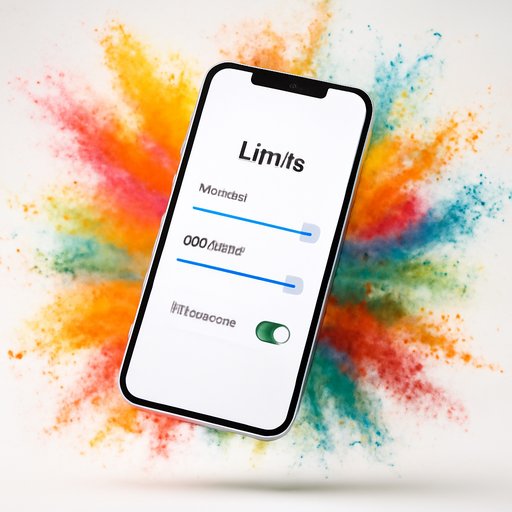
Your control is in your hands; you can change time limits and cooldown types at will.
More help available CD333 Contact See and start using CD333 Download The page will also be
Self-exclusion, what happens
Self-exclusion means stricter self-control; it's appropriate only when you know there is no other option than a break.
Account access blocked
Login is not allowed at the scheduled time; this block reduces risk.
Time set in advance
You can choose a time from 24h to 90 days; a chance to think later.
Clear notice
What is closed and what is open, everything is written in clear language
People's assistance
If needed, get direct help; handling alone increases pressure
These four things suffice to remember
Long sessions, frequent back-and-forth, and unplanned games must be stopped first; the CD333 App makes that control easy
Do not share passwords
If another person logs in on the same phone, problems increase; security first
Take a break when stressed
On a bad day, even a one-day break helps; short breaks can do a lot
Write down your rules
How long you’ll go, when to stop helps
Get help if needed
If you handle it alone, pressure rises; listen to support team
Safe play and controls are together in CD333 App when needed CD333 Login Then review the settings, and CD333 Register Understand the rules for new accounts on the page